Files & photos
1TB SSD PS5 Can I Use On Mac?
You have bought a 1TB SSD to add more space to your PlayStation 5. A few months down the line you need more space on your Mac. Can you use the same drive?
 Diskfern Team6 min readUpdated
Short answer
Yes... but there are some formatting issues.
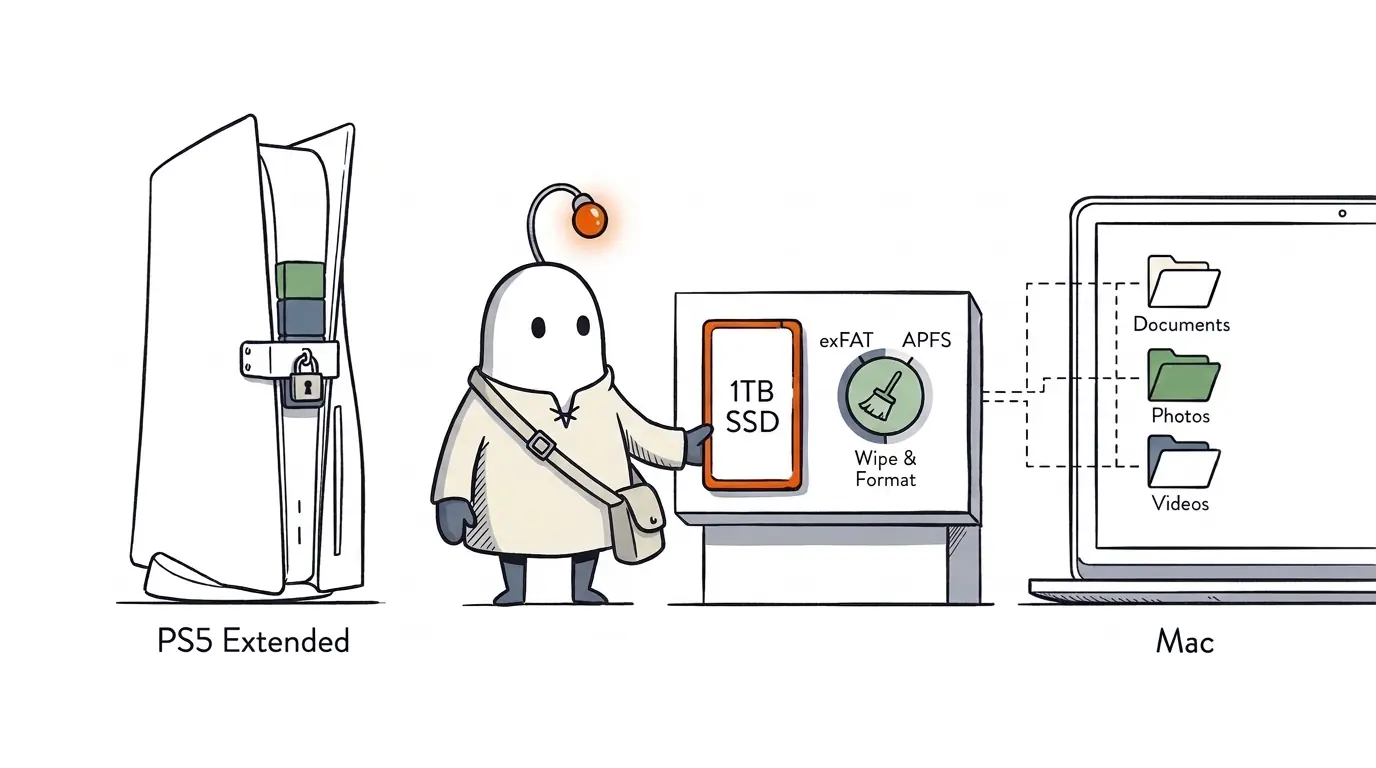
Understanding the 2 types of SSD
There are two types of storage you can add to the PS5.
1. External USB SSD
A portable SSD connected to your PS5 via a USB cable.
Sony recommends you use USB extended storage drives with:
- Any size from 250GB up to 8TB.
- SuperSpeed USB of 5Gbps or higher.
- Direct connection to the PS5 (no USB hub).
The 1TB external SSD is fine for size, but you can't guarantee all USB drives will work.
You can save games to the external USB SSD, but cannot play PS5 games directly from it. You will have to copy them back onto the internal or installed M.2 SSD.
You can play PS4 games directly from the external USB drive.
Source: Sony PS5 USB extended storage guide
2. Internal M.2 NVMe SSD
This is an internal SSD installed in the dedicated expansion slot on the PS5.
This can be used to download, store and play games directly from.
However, not all 1TB NVMe SSDs will be compatible.
Sony's compatibility requirements include:
- PCIe Gen4 x4 M.2 NVMe.
- Sizes of 250GB to 8TB.
- A sequential read speed of 5,500MB/s or faster is recommended.
- Appropriate heatsink/cooling for effective heat dissipation.
- Correct size SSD, including its cooling structure.
- M.2 SATA SSDs are not supported.
Always check the full compatibility requirements.
Can I use an SSD from my PS5 on my Mac?
Here is where it gets interesting...
Yes, but you need to understand the formatting.
When you format your external SSD as PS5 USB extended storage, your console prepares the drive to save games. This is not the same as a drive you would use on your Mac to save documents, photos and videos.
Therefore, you should treat your PS5 extended storage as storage for your console.
Connecting to your Mac
When you connect the drive to your Mac, your Mac may not recognise it as a normal, accessible external drive.
If you still need the games saved on the drive, don't go ahead and initialise or erase it.
You can use Disk Utility on your Mac to format drives to APFS and exFAT formats. To change the drive to be compatible with your Mac, you will have to erase and format it. This will wipe the drive.
Can I use an external SSD from my PS5 on my Mac?
If you no longer need the games saved on your external SSD, then you can convert it back to a standard USB drive.
Go to:
Settings > Storage > USB Extended Storage > More > Format as exFAT.
Please note this will wipe all your games and other data on the drive. Make sure you back up any important data first.
Once formatted, connect it to your Mac and you can use it as an exFAT external drive.
Can I use the same SSD for both my PS5 and Mac?
It depends on what you're trying to do.
You can use an external drive formatted to exFAT to store regular files from your Mac and use it with the PS5 for supported USB functions.
You can save documents and videos from your Mac on the drive, view supported images and videos from your USB drive in the PS5 Media Gallery, and copy screenshots and videos from your PS5 to the USB drive.
However, you cannot copy media from the USB drive into your PS5 console storage or use it to transfer arbitrary files into the PS5.
This isn't the same as PS5 USB extended storage. You won't be able to use the drive for PS5 game storage while it is formatted as exFAT.
Sony explain the differences between the USB storage options here. PS5 Storage Guide.
They also explain how to view supported images and videos from your USB here. Media Gallery Guide.
You can also check the supported USB video and music formats here. USB Media Guide.
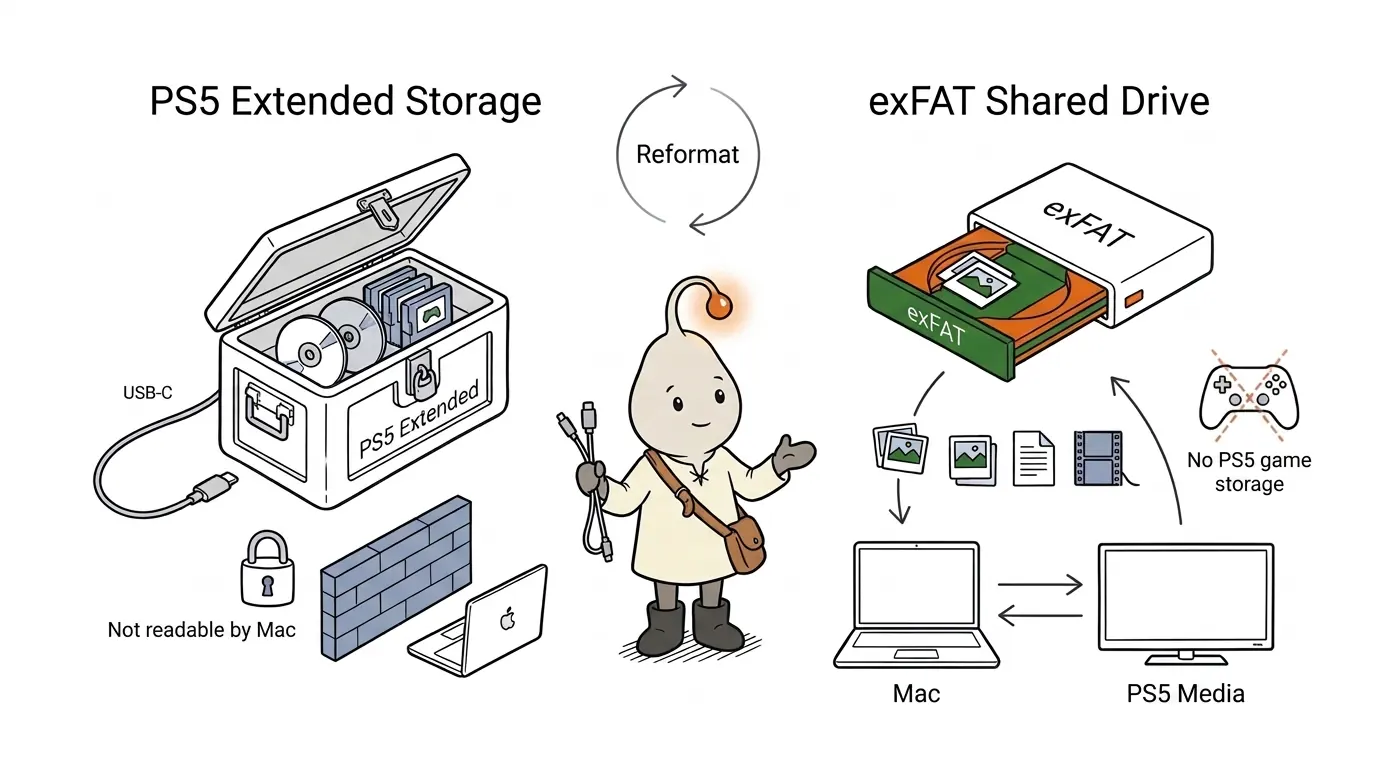
If you're looking to store regular files for your Mac and access supported media or USB functions on your PS5, then exFAT is a good option. However, if you're looking to add more games to your PS5, you need to use the extended storage format.
Can I use an internal M.2 SSD from my PS5 on my Mac?
This is a bit different.
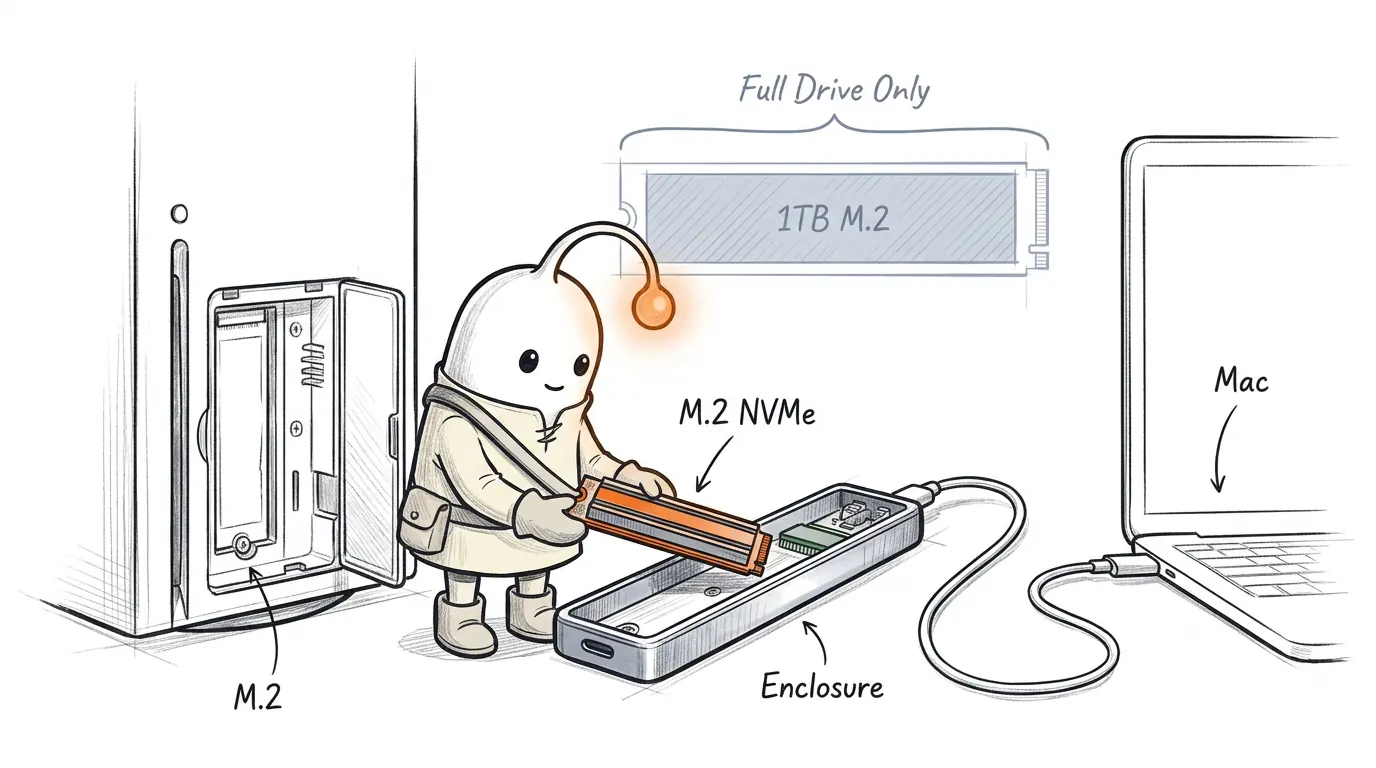
If you have added a 1TB M.2 NVMe SSD to your PS5 and want to use it on your Mac, you can physically take the drive out and connect it to your Mac using a compatible NVMe enclosure.
However, Sony state that you must format the entire M.2 SSD for use with your PS5. You cannot partition it to use part for PS5 games and part for regular storage.
In order to use it on your Mac, you will have to wipe and format it. This will erase the PS5 data on the drive.
Make sure to have an enclosure that will work with your specific M.2 NVMe SSD, including its physical size and cooling structure.
What type of SSD should I get?
It depends on your requirements.
| Requirement | Consider |
|---|---|
| Save games on your PS5 and play PS4 games | External USB SSD |
| Download and play games on your PS5 from your expanded storage | A compatible internal M.2 NVMe SSD |
| Store regular files on your Mac and use supported USB functions on PS5 | External exFAT SSD |
| Use your PS5 SSD on your Mac in the future | Yes, but you will have to wipe and reformat it |
| Save games on your PS5 and Mac without changing the format | No, this isn't a supported solution |
If you frequently use your Mac and PS5, it may be easier to buy separate storage.
One last thing: Is your Mac still running out of space?
Although having an external SSD can help you save more documents, videos and files, you may still have problems.
You may still have issues with your applications, browsers, downloads, dependencies, Xcode DerivedData, simulators and caches using up your internal storage.
This can be a big issue if you're using large development projects.
Rather than randomly deleting folders, it helps to know where your storage is being used.
Diskfern can help you see where your storage is being used on your Mac, find large files/folders and see what you can delete. Diskfern.
Start with a scan of your Mac.
The Diskfern way
How Diskfern helps
Even after moving games or media to an external 1TB SSD, internal macOS space often fills up from Xcode DerivedData, simulators, browser caches, and forgotten installers.
- Run a quick scan with Diskfern to visualize what is taking up internal Mac storage.
- Review large folders, dependencies, and caches before deleting anything important.
Finding and reviewing is free. Moving items to the Trash from Diskfern is part of Pro.
Download DiskfernQuestions
Can I use my 1TB external SSD on my PS5 and Mac?
Yes. You can use the same external SSD with both devices, but its capabilities depend on the format. You can keep it as exFAT to use for general files on your Mac and supported USB functions on your PS5. Or you can format it as PS5 USB extended storage for games. Switching between these formats will wipe the drive, so make sure you back up your data first.
Can I play PS5 games directly from my external SSD?
No. You can save your PS5 games to your external USB storage, but you will have to copy them back to your console storage or installed M.2 SSD to play them. You can play PS4 games directly.
Is exFAT better for my Mac and PS5 than APFS?
exFAT is the best option if you're looking to use an external drive for general files on your Mac and supported USB functions on your PS5. exFAT is supported by macOS, and the PS5 supports exFAT-formatted drives for specific USB functions. APFS is an Apple-specific format and is great if you're using an SSD just for your Mac.
Can I split my 1TB M.2 SSD between my PS5 and Mac?
No. Sony clearly state that the whole drive needs to be formatted for your PS5. You cannot partition it to use part for PS5 games and part for regular storage.
Can I use an SSD I bought for my PS5 as external storage for my Mac?
Yes. You can take out the internal M.2 SSD and use a compatible enclosure, or you can reformat your external USB SSD. Either way, you will have to wipe the PS5 storage on that drive.

Written by
Diskfern Team
We explain Mac storage using product behavior and the sources listed below. Review your app settings and backups before removing data.
Sources
- Sony: USB extended storage on PS5 consoles · checked November 11, 2026
- Sony: How to add an M.2 SSD to a PS5 console · checked November 11, 2026
- Apple Support: File system formats available in Disk Utility on Mac · checked November 11, 2026
- Sony: How to manage PS5 console storage space · checked November 11, 2026
- Sony: PS5 Media Gallery and USB screenshot guide · checked November 11, 2026
- Sony: Play video and music from USB drives on PS5 · checked November 11, 2026
Keep reading
Learn more about managing large media, cloud sync, and external drives on Mac.
How to check SSD health on Mac
Learn how to check SSD health on Mac. Step-by-step instructions for Disk Utility S.M.A.R.T. status, terminal smartctl commands, and reading NVMe wear metrics.
SSD NVMe on a Mac: Choosing an External Enclosure
Learn how to use an SSD NVMe with your Mac. Compare external enclosures, USB4 speeds, compatibility, APFS and exFAT formats, and setup.
External drive storage on Mac
See how much space is used on an external drive in Finder, Get Info or Disk Utility, then find the files filling it up. Works for USB and SSD drives.
Can't copy large file to USB drive on Mac
Why macOS won't copy files over 4GB to a USB drive with free space. Learn how FAT32 limits individual files and how to safely format as exFAT without losing data.
Mac games taking more storage than listed size
Why Mac games take up more SSD storage than their store listing says. Find shader caches, autosaves, replays, launcher files, and leftover uninstalled data.
How to find large files on Mac
Finder's search can find large files, but it's slow and easy to misuse. Here's how to find them properly, plus faster methods for big drives.

Get your space back. Start with a free scan.
Explore the files and folders Diskfern can read. Your files stay on your Mac, and nothing is removed until you say so.
macOS 14 Sonoma or later · Apple silicon and Intel