 Diskfern
Disk Advisor
Ask what it is before you remove it
Get a plain-English explanation of a file or folder, why it is using space, and what may happen if you remove it. Your questions and answers stay on your Mac.
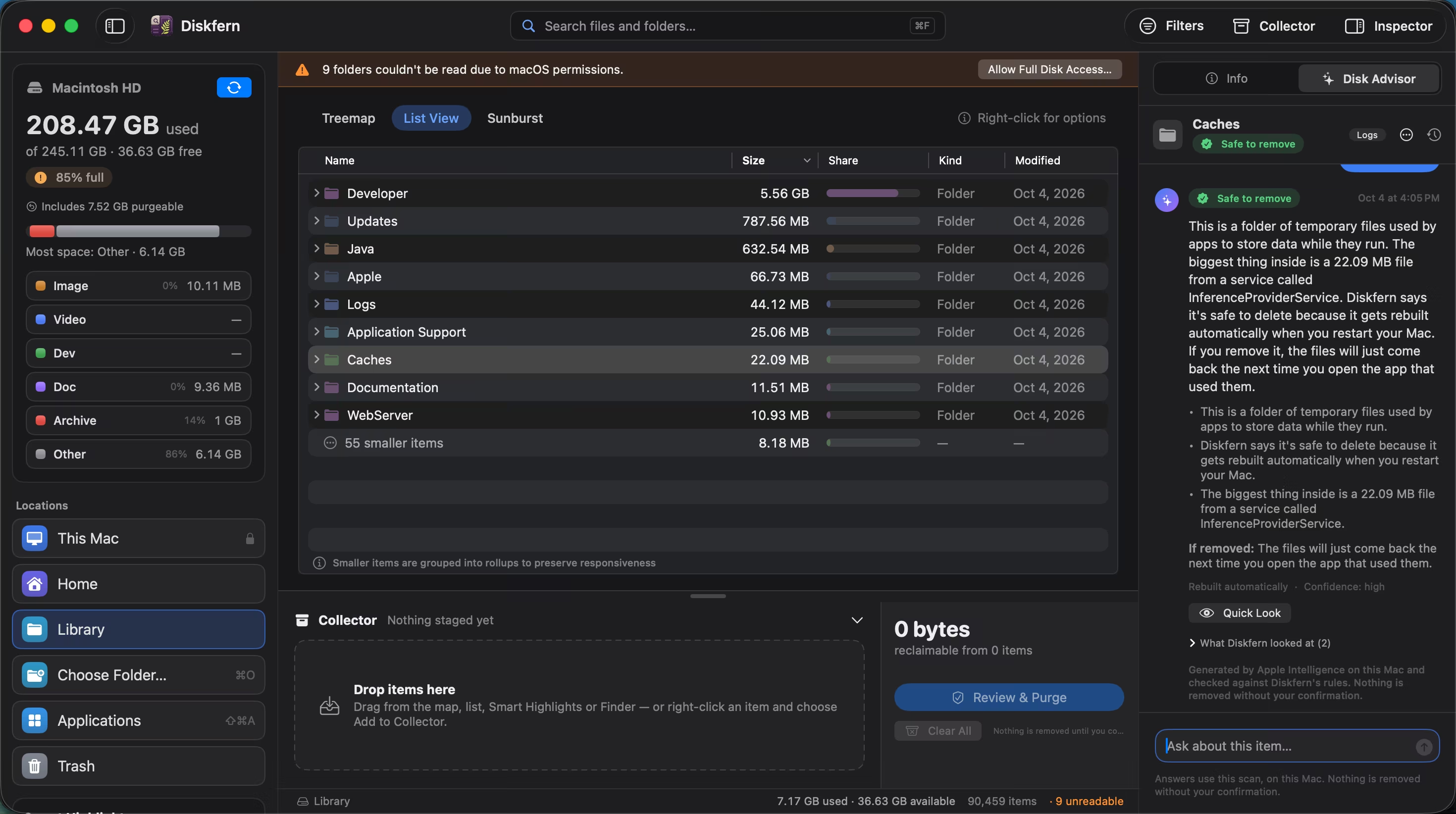
Short answer
Disk Advisor combines facts from your current scan with Apple's on-device model. It can explain unfamiliar folders, point out the largest contents, and help you decide whether something is rebuildable, worth reviewing, or best left alone. It never makes the decision for you.
01
Ask the question you actually have
Try “What is this?”, “Why is it so large?” or “What should I review before removing it?” You do not need to translate your concern into storage jargon.
- Natural-language questions
- Answers tied to the selected item
- Clear safety verdicts
02
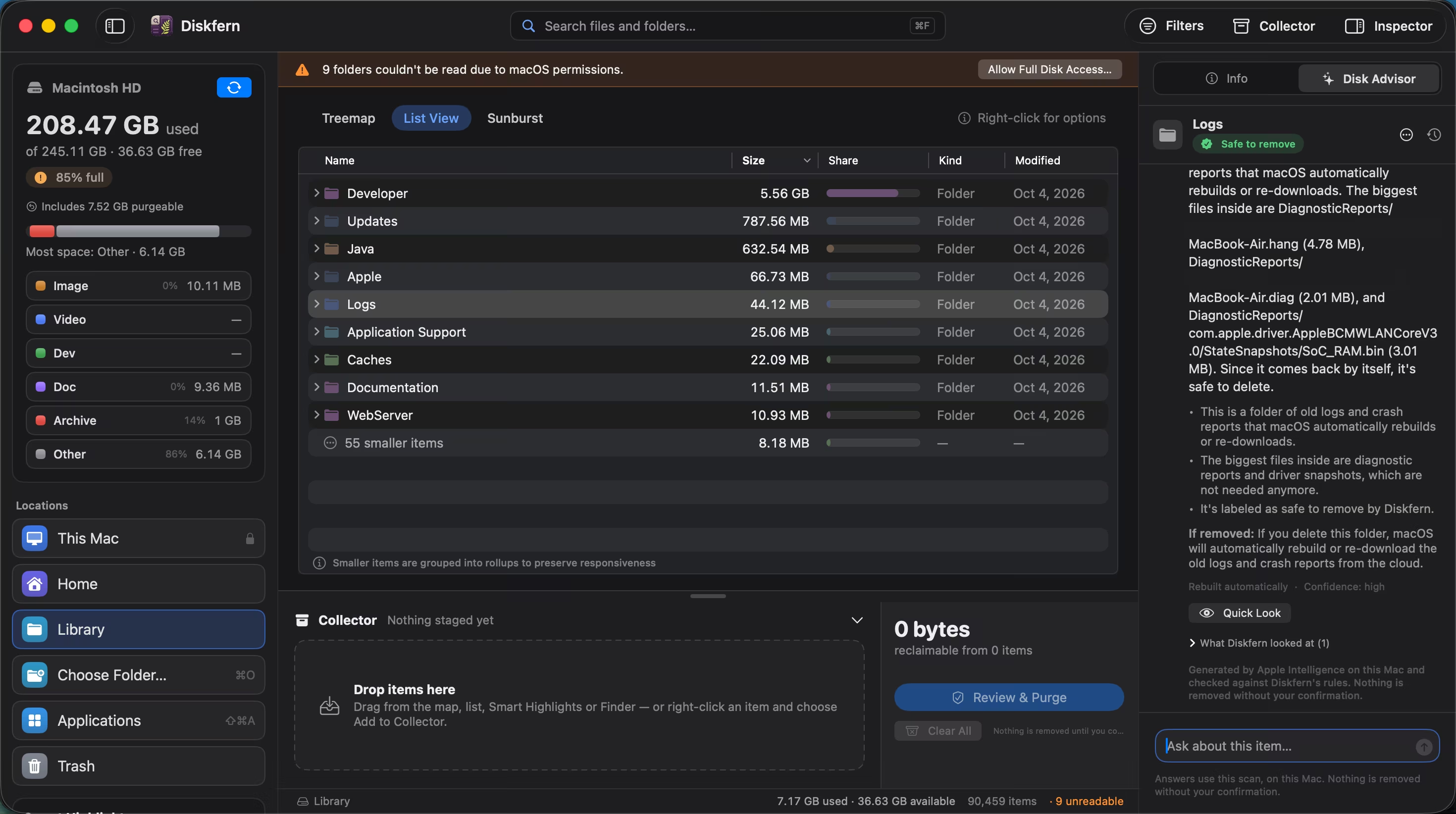
Advice grounded in your scan
Disk Advisor reads the item's size, contents, owner, age and safety classification before it answers.
- Real file facts
- Largest contents named
- Consequences explained
03
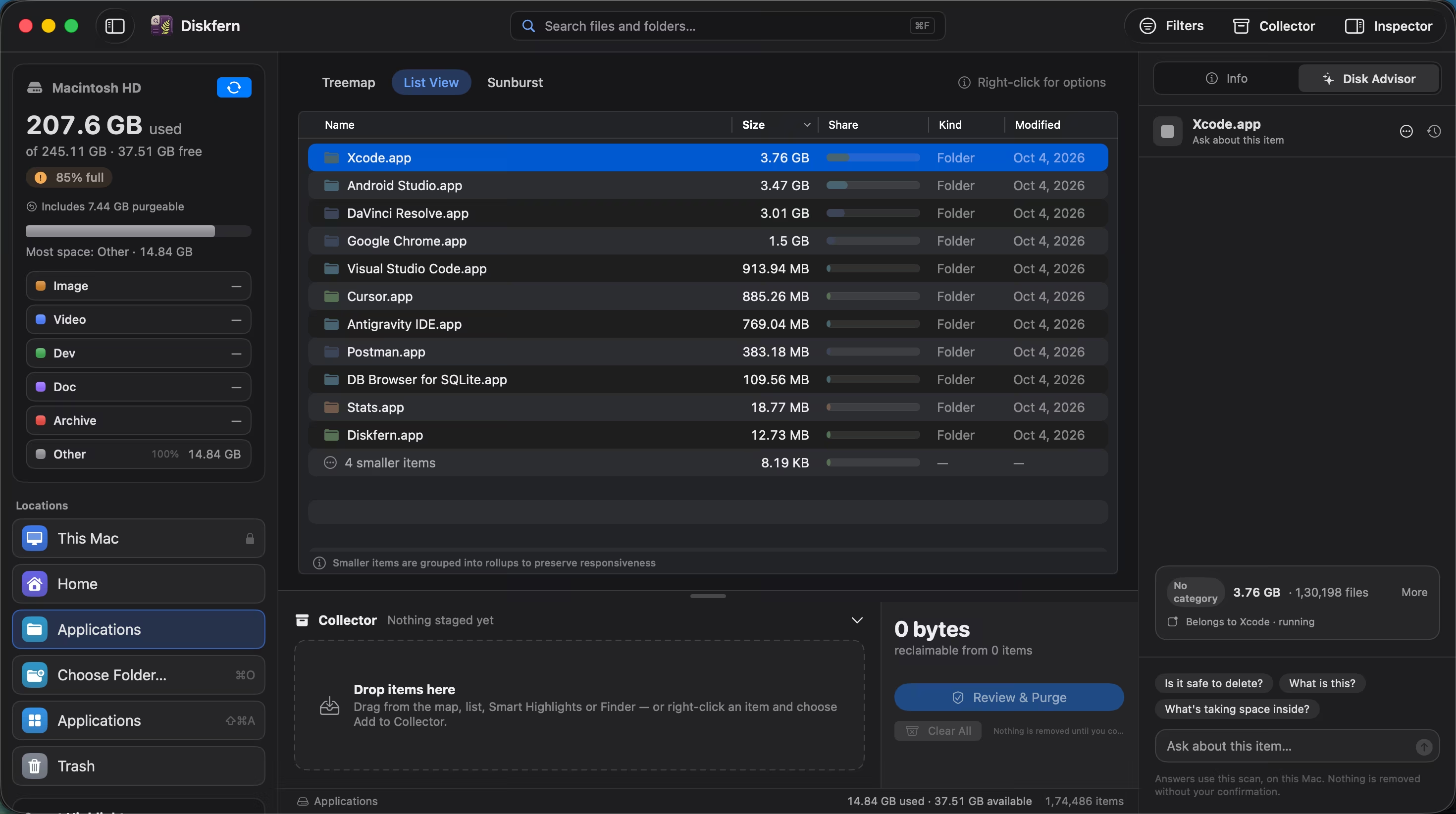
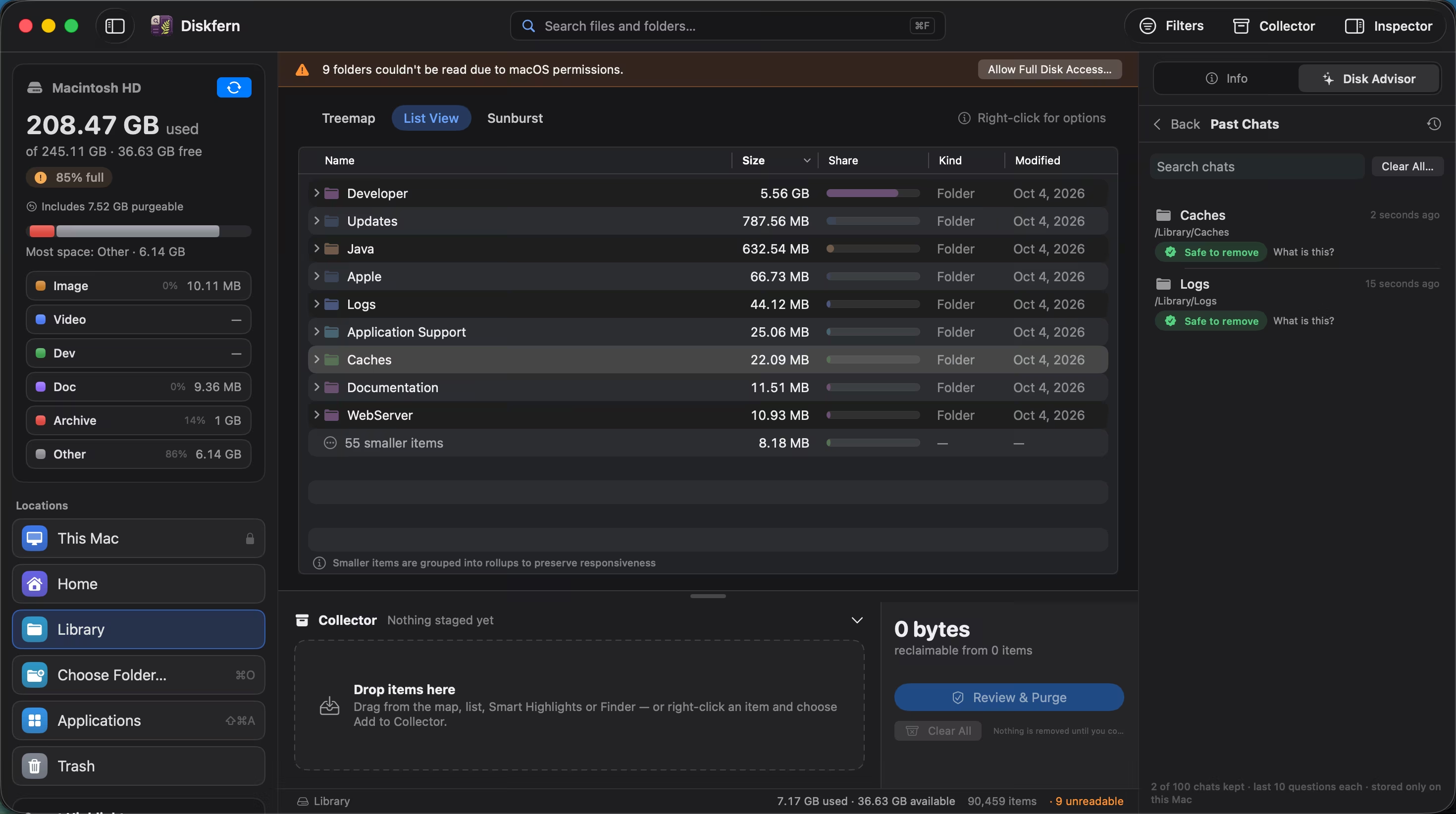
A separate conversation for every item
Ask about several folders without losing the thread. Past chats remain on your Mac and can be reopened when you need them.
- Per-item chat history
- Recent conversations
- Stored locally
Questions about Disk Advisor
Does Disk Advisor send filenames to a server?
No. It uses Apple's on-device model and the scan stored on your Mac.
Can its advice be wrong?
Yes. AI guidance can be wrong, so Diskfern shows the underlying facts and keeps every removal behind your confirmation.
What does it require?
Disk Advisor requires macOS 26 or later, an eligible Mac, and Apple Intelligence enabled.
Can it delete something for me?
It can stage or unstage eligible items and open the Collector when you ask. It cannot remove files itself; you separately review and confirm removal.
Related guides

Get your space back. Start with a free scan.
Explore the files and folders Diskfern can read. Your files stay on your Mac, and nothing is removed until you say so.
macOS 14 Sonoma or later · Apple silicon and Intel