 Diskfern
Applications
See what every app really weighs
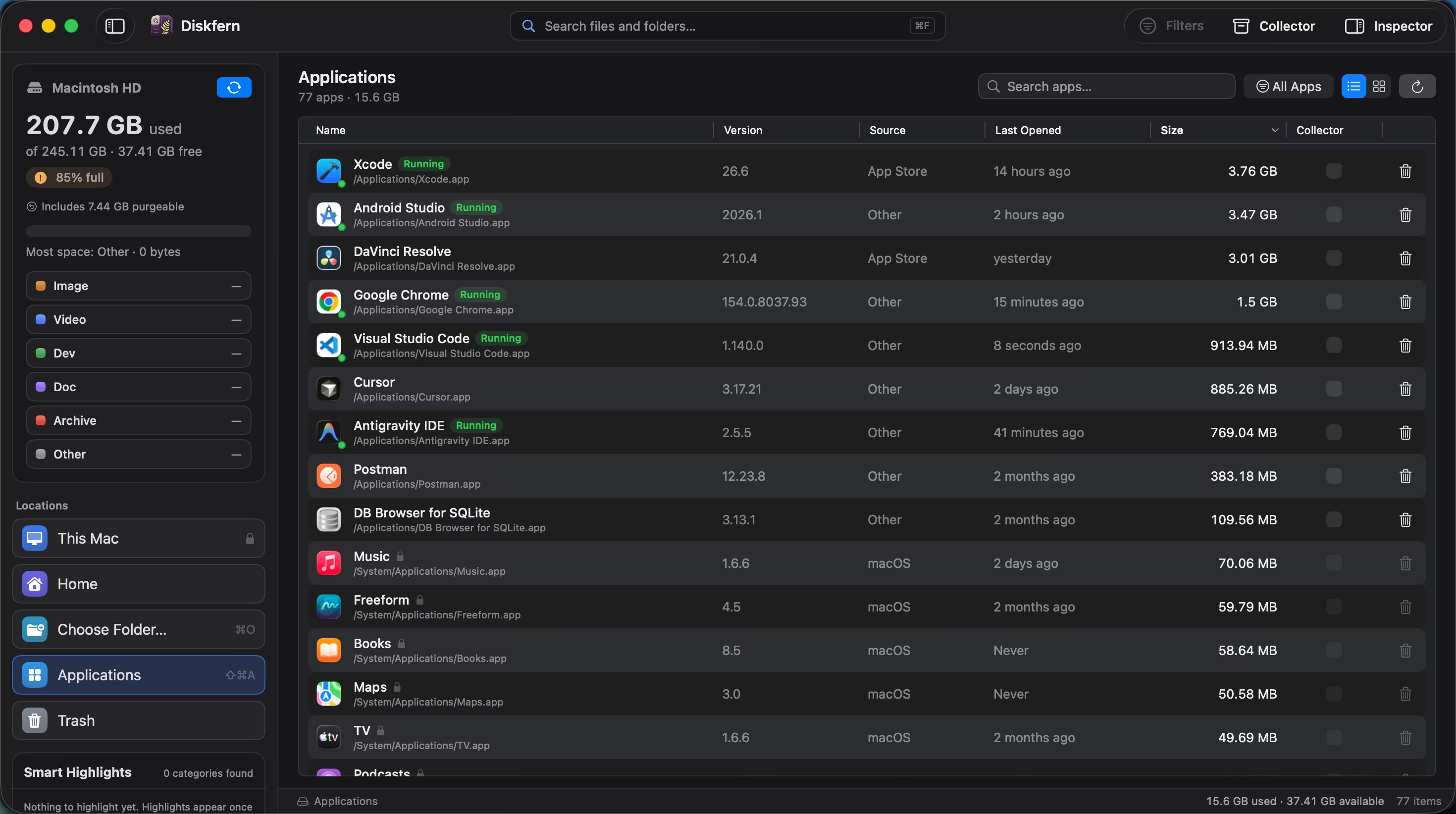
Browse installed apps with their on-disk size, filter the list, and review an app before deciding whether it still earns its space.
Short answer
The Applications view measures app bundles in /Applications and your user Applications folder. Pro can remove selected bundles after confirmation; it does not automatically hunt down support files, caches, or preferences. Running apps, system apps, and Diskfern itself are protected.
01
Compare apps by real size
Large applications become obvious without opening Finder's Get Info window one app at a time.
- Measured sizes
- Largest-first sorting
- Grid or table view
02
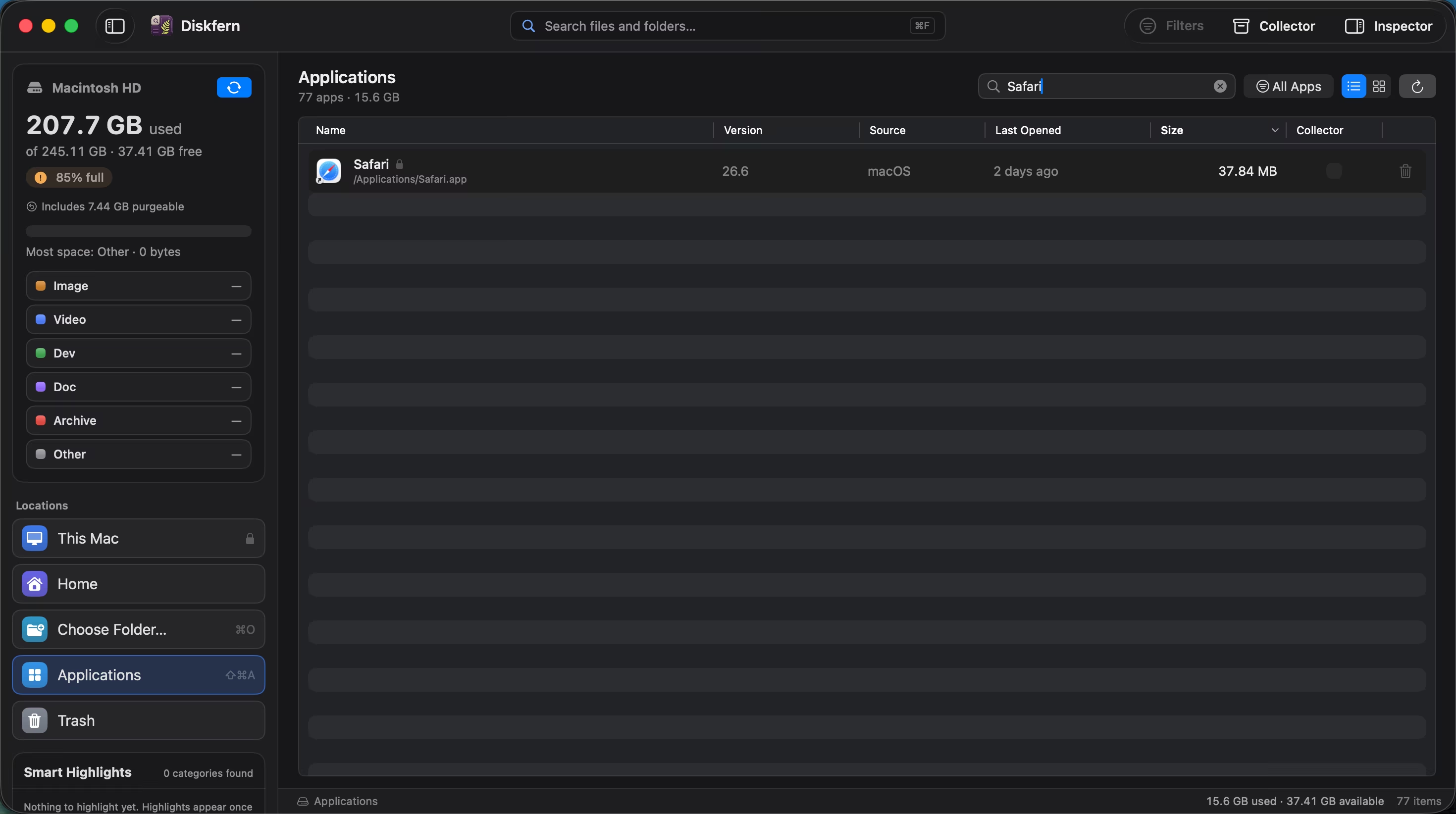
Find one app quickly
Filter the application list by name and inspect its version, source, last-opened date and size.
- Name filter
- App metadata
- Selection details
03
Protection stays visible
Running apps, system apps and Diskfern itself clearly show when they cannot be uninstalled.
- Running-app checks
- System-app protection
- Confirmation before removal
Questions about Applications
Where does Diskfern find applications?
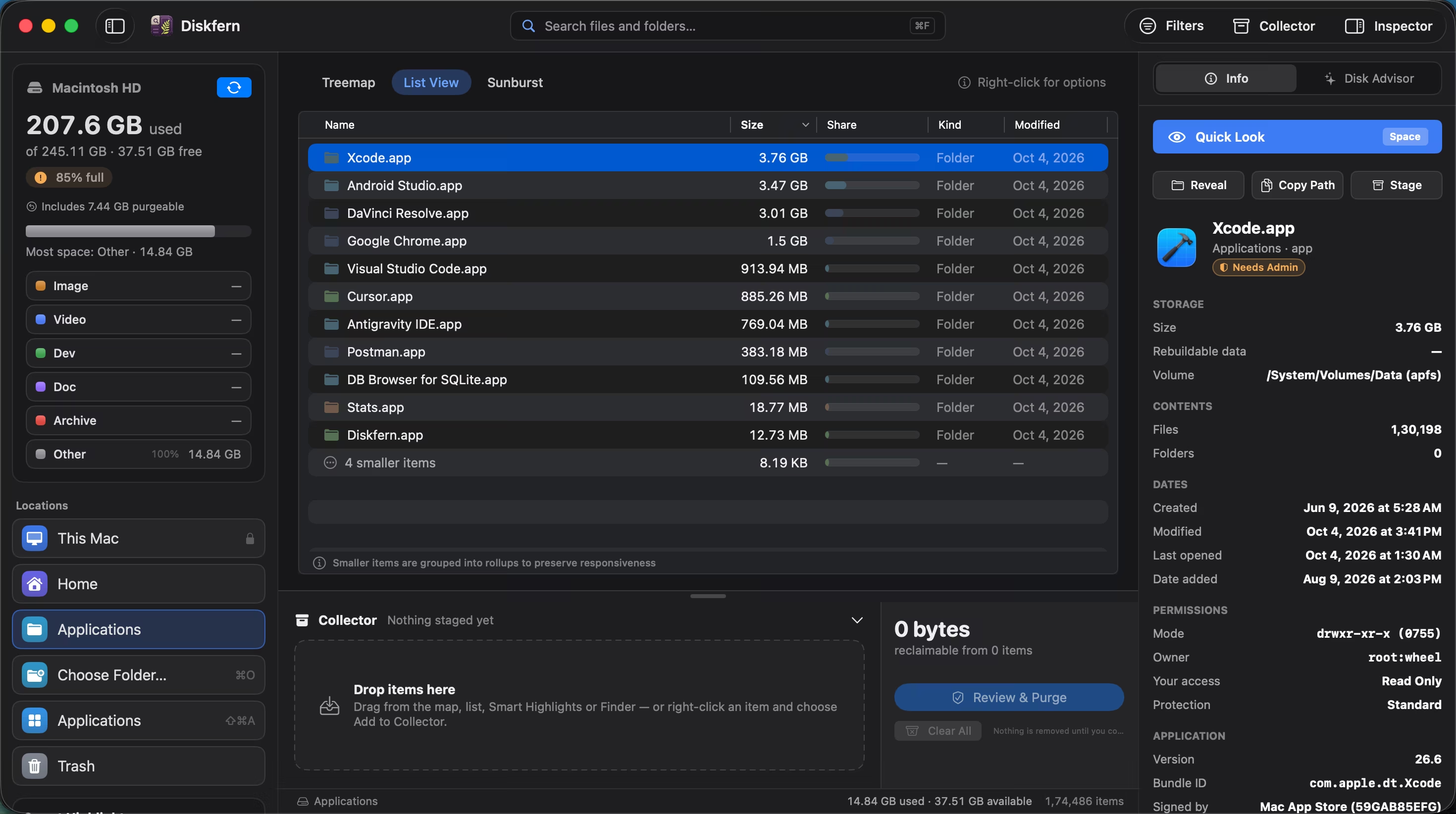
It checks the system and user Applications folders.
Can it remove a running app?
No. Running apps are protected from uninstall.
Does it show an app's actual size?
Yes. Sizes are measured in the background.
Is app uninstall part of Free?
Viewing apps is available for exploration; uninstall is a Pro cleanup tool.

Get your space back. Start with a free scan.
Explore the files and folders Diskfern can read. Your files stay on your Mac, and nothing is removed until you say so.
macOS 14 Sonoma or later · Apple silicon and Intel