 Diskfern
Diskfern Finder
Find large files with natural-language search
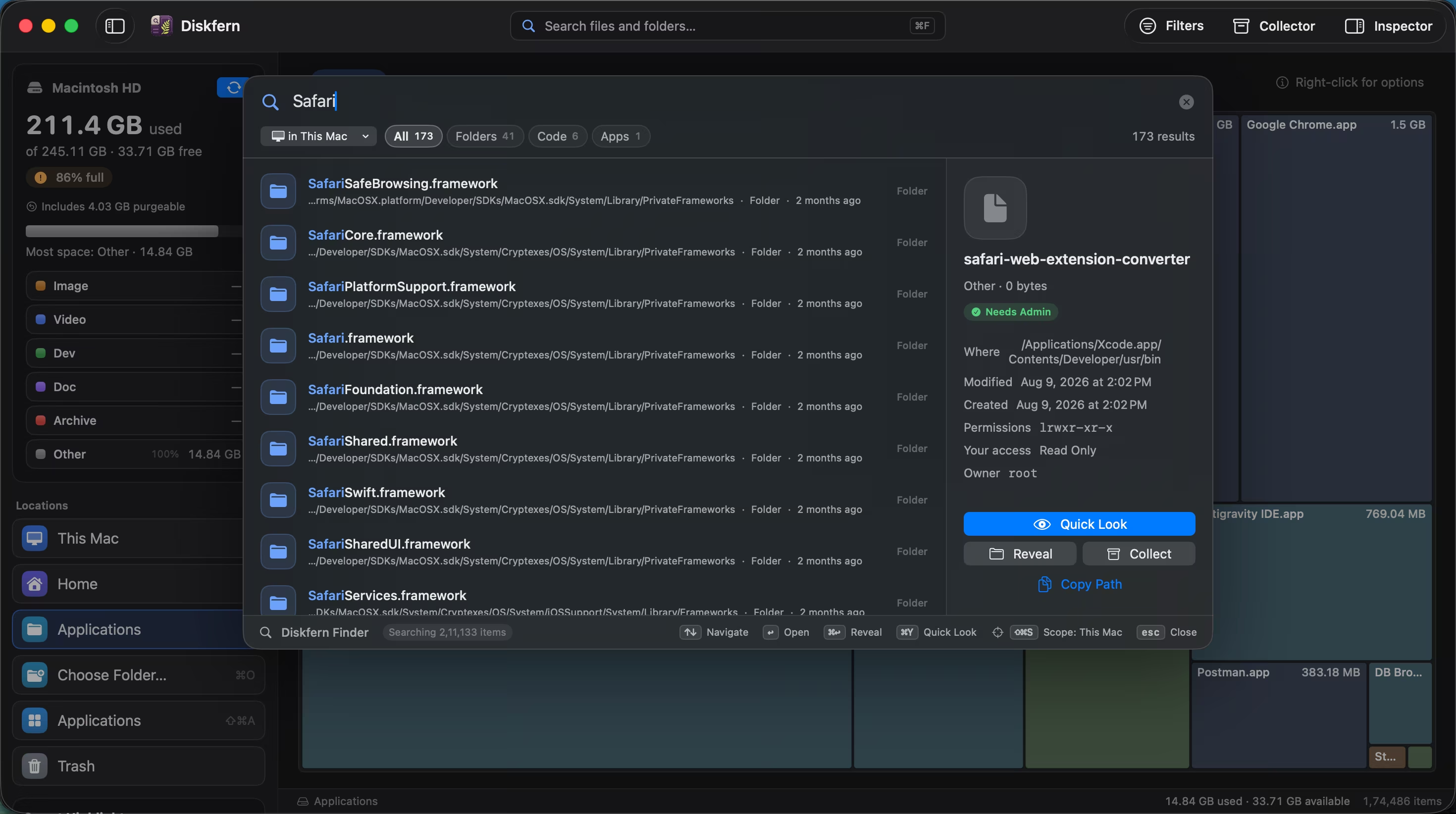
Search with natural queries like 'videos > 1gb', 'pdf this month', or 'screenshots this week'. Words automatically convert into smart filter pills.
Short answer
Diskfern Finder indexes millions of files locally on your Mac. Type natural queries, and keywords like 'videos', 'large', 'this week', '>1gb' or 'pdf' become filter tags such as .pdf and This month. Results depend on query selectivity, hardware, and the indexed files.
01
Natural queries turn into smart filters
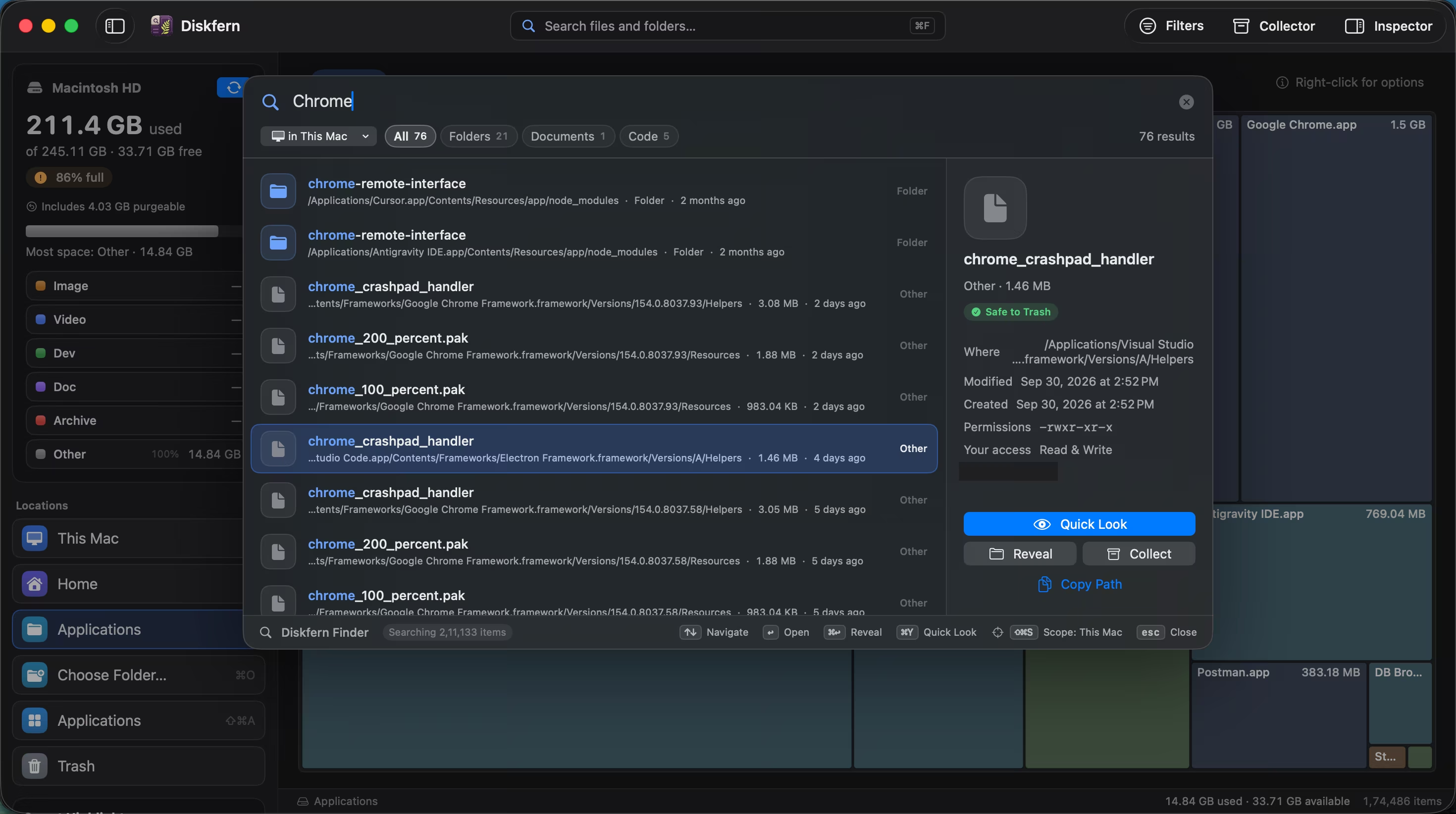
Try queries like 'videos > 1gb', 'pdf this month', 'screenshots this week', or 'old >100mb'. Diskfern Finder tokenizes your words into smart filter pills on the fly.
- Natural queries auto-convert to filters
- Search tested with 2,000,000 records
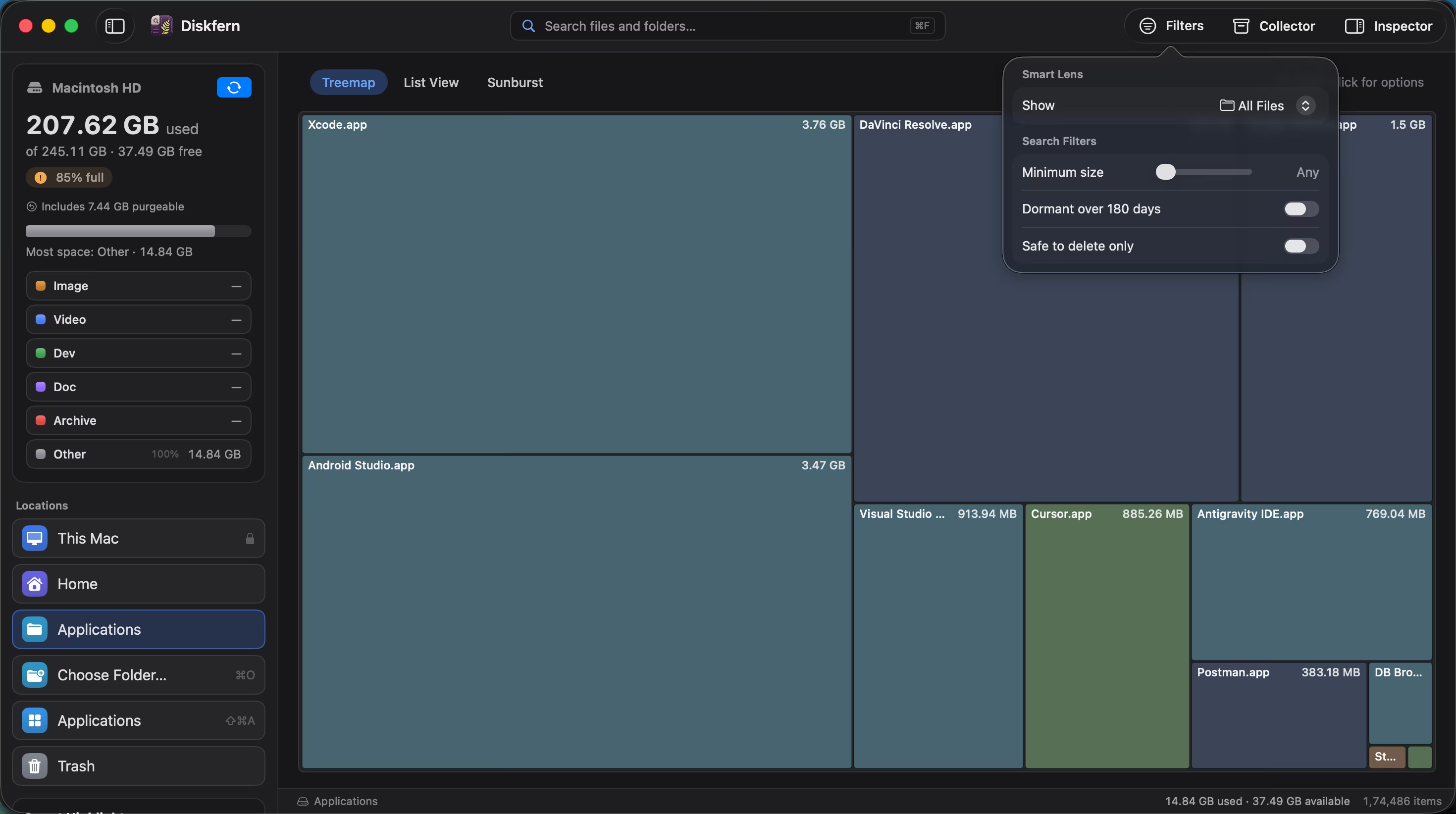
- Scope to This Mac, Home or any chosen folder
02
Inspect results with native Quick Look
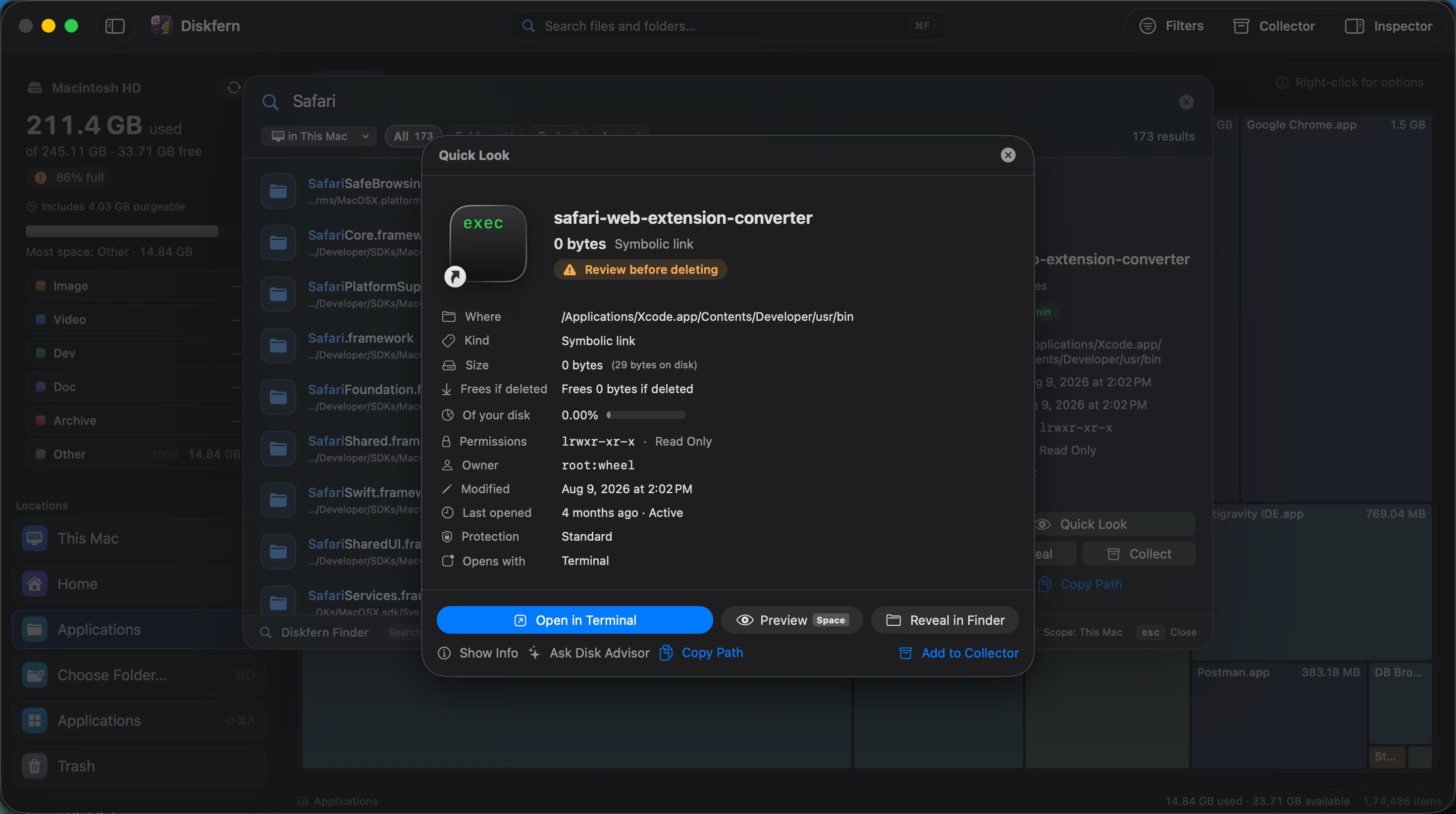
Every search result reveals exact logical size, frees-if-deleted metrics, created and modified dates, and instant Spacebar Quick Look previews.
- Instant Quick Look with Space
- Clear Safe to Trash or Review labels
- Reveal in Finder or Copy Path
03
Dedicated Trash manager & permanent cleanup
Open the Trash manager to see every trashed item with exact file size and date trashed. Selectively choose what to delete permanently or restore.
- Itemized Trash overview
- Selective permanent deletion
- Touch ID confirmation
Questions about Diskfern Finder
Can Diskfern find files by name?
Yes. Use Finder-style search across scan results.
Can I sort folders by size?
Yes. List view supports precise size comparison.
Does it show modified dates?
List view includes modified dates when macOS provides them.
Can I reveal a result in Finder?
Yes, from the item actions or Quick Look.
Related guides

Get your space back. Start with a free scan.
Explore the files and folders Diskfern can read. Your files stay on your Mac, and nothing is removed until you say so.
macOS 14 Sonoma or later · Apple silicon and Intel